Most distributors can tell you, to the dollar, what they sold last month. Far fewer can tell you what they should have sold.
The data to answer the second question already exists. Your ERP holds every order, every customer, every SKU, a decade or more of it. But the question that grows a distribution business, the one about what this customer should buy next, still gets answered from a rep's memory or not at all. That gap is what this guide on ERP software for distributors is about.
More than $8 trillion of wholesale trade moves through the US economy each year, on Census figures, and most of it runs on an ERP that's good at recording what happened and worse at telling you what to do about it. Choosing one is among the highest-stakes software decisions you'll make. You'll live with it for fifteen or twenty years, and replacing it later feels like open-heart surgery.
You'll find no shortage of "top 10 ERP" lists for distributors. Most are written by the resellers who implement the products they rank. This guide isn't a ranking. It covers the real options, what their own users say about them in public reviews, the criteria that predict whether you'll be happy in year three, and the question almost nobody asks until it's too late.
One disclosure up front, because it shapes how you should read this. I run Proton, which builds software for distributors. Proton isn't an ERP. We sit on top of them. That gives me a particular vantage point, the view from the integration layer, and I'll tell you where it's useful and where you should discount it.
TL;DR
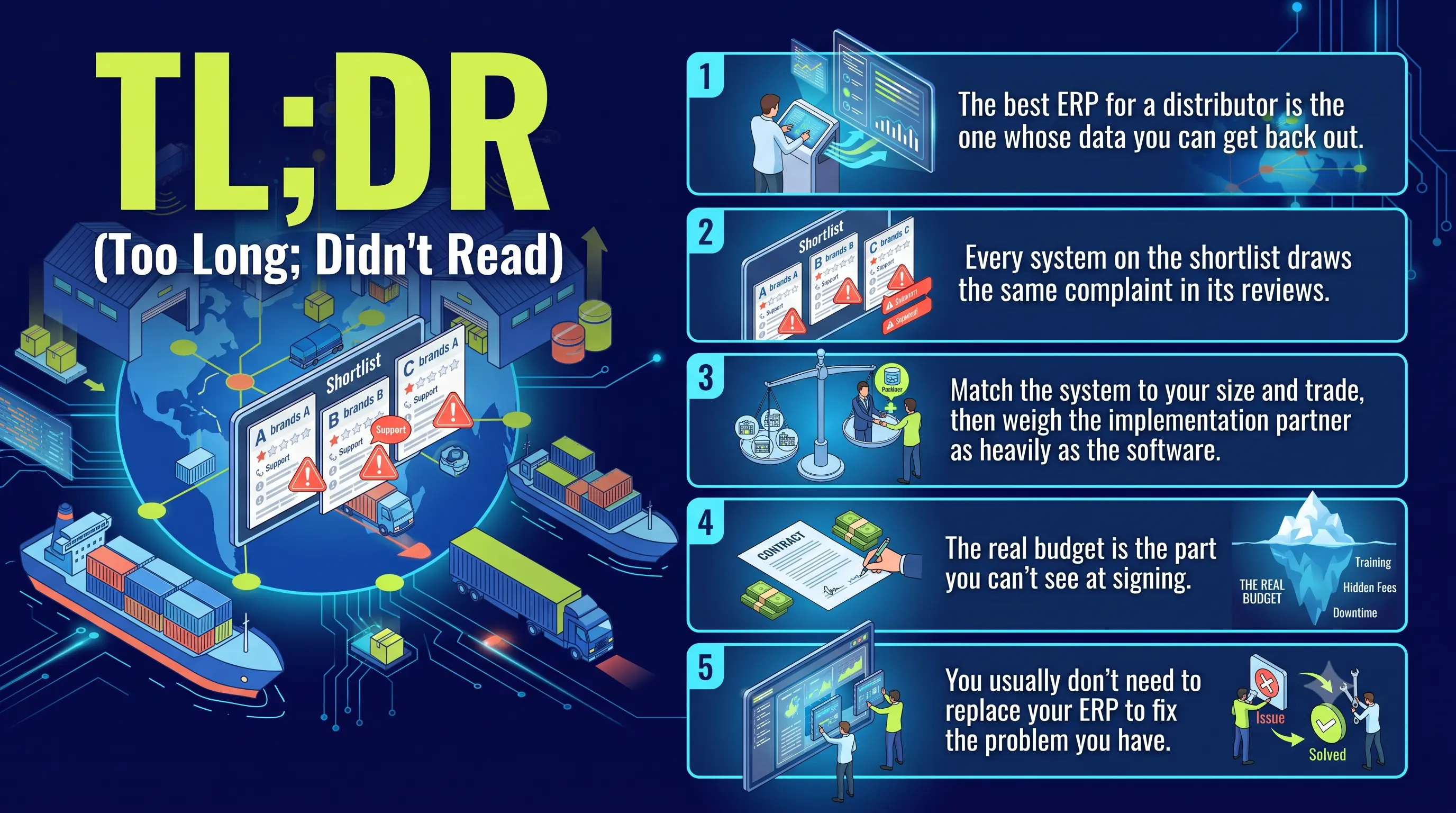
- The best ERP for a distributor is the one whose data you can get back out. Most "best ERP" lists rank features. What decides whether your ERP earns its cost is whether your team, your other tools, and eventually your AI can query the data inside it.
- Every system on the shortlist draws the same complaint in its reviews. Across NetSuite, Epicor, Microsoft, SAP, and Sage, the most consistent public criticism is one thing: reporting is hard, and getting data out means SQL, exports to Excel, or a consultant.
- Match the system to your size and trade, then weigh the implementation partner as heavily as the software. Distributors who've done it say the partner guiding the rollout mattered as much as the product.
- The real budget is the part you can't see at signing. License cost is the small number. Implementation, integration, customization, and data migration are where the money goes, and where projects overrun.
- You usually don't need to replace your ERP to fix the problem you have. If the pain is visibility and insight, the culprit is the data trapped in the ERP, not the system itself, and that's fixable without ripping out the system of record.
What "distribution ERP software" means
An ERP, enterprise resource planning, is the system of record that runs the back office: inventory, purchasing, order management, pricing, accounting, and usually a warehouse module for picking, putaway, and counts. Distribution ERP software is that idea built for the trade: multi-warehouse inventory, customer-specific pricing, units of measure, lot and serial tracking, and the matching of a customer's part numbers to yours.
You'll also see "distribution management software," used sometimes for the same thing and sometimes for a lighter orders-and-inventory tool that stops short of full accounting. Vendors don't agree on the line. For this guide, the ERP is the system that owns your financial truth and the transactions underneath it. It's one layer of the full distribution software stack, and where it sits relative to your warehouse system, your ecommerce, and a distribution-specific CRM is its own decision worth thinking through.
An ERP is only as good as the data you can get back out
I think about this whole category in three eras of business software. From the 1990s through the 2010s, we built software that stores things, the digital filing cabinet, your ERP and your first CRM. From about 2020, software that makes suggestions, the forecasts and recommendations. Now we're building software that acts on your behalf. Each era depends on the one before it, and all three depend on data you can reach.
Your ERP belongs to the first era, and it's good at it. The trouble starts when you want the second and third, the suggestions and the actions, and you find the data locked in a vault you don't have an easy key to.
I'm not the only one saying this. Distributors say it themselves, in their own reviews, more than they say anything else. On Capterra, a head of IT writes of Epicor Prophet 21, one of the most popular distribution ERPs, that "reporting is difficult. There isn't a real place to pull reports." An accountant on the same product is blunter, calling it "not a true ERP system, rather small individual databases with a poor and unsuccessful attempt to integrate them together." A Microsoft Dynamics 365 Business Central reviewer calls reporting "the Achilles heel of the platform," and another says "pulling any information into Excel is extremely time consuming." An Aptean user reports the system "doesn't work well to provide specific reports, requiring users to export data to Excel." The pattern holds across nearly every product below.
The cost of that locked vault is quiet and large. When we sit down with distributors, the same picture comes up again and again. One had fifteen years of transaction history in its ERP and no way to use it, so cross-sell stayed tribal knowledge, the kind where a veteran knows the customer buying argon should probably be buying welding wire, and nobody else does. Another ran all of its reporting through one person and a single Power BI file, with quotas calculated by the CFO in a spreadsheet on the side. A sales leader at a third watched revenue soften and couldn't see where it was leaking. None of these are feature problems. They're data-access problems.
One distributor put the mechanical version of it plainly. Their ERP had no usable API, so the only way to move data was to export it overnight and reimport it somewhere else the next morning. As they said, "we're left with data that's only as good as last night's." Every decision made on yesterday's numbers, forever.
This is why more of the distributors I talk to now interrogate integration before features. They want to know whether the system exposes real, documented APIs, and whether data moves in real time or in a nightly batch, because a nightly sync prices this afternoon's orders on this morning's numbers. The ones who've been burned ask the vendor straight out: when my rep changes something here, does it write back to the ERP the moment it happens, or tonight?
The stakes climb from there. Gartner predicts that through 2026, organizations will abandon 60% of their AI projects because the data behind them isn't ready. Whatever you make of AI in distribution, it runs on the same plumbing as your reporting. If you can't pull a clean cross-sell report out of your ERP today, you won't get a working agent out of it tomorrow. An ERP you can't integrate with becomes, to borrow a line from one of our own customer conversations, a thing in your closet, important, but rarely opened. You want to live in the layer where the work and the decisions happen, with the ERP feeding it. Hold every product below to that standard, not the feature checklist alone.
The wholesale distribution ERP systems distributors shortlist

A few honest notes first. Public review scores drift and run thin for the smaller vendors, so I've dated them and flagged where the data is light. G2 blocks automated checking, so the counts below come from Capterra, where they're verifiable, as of mid-2026. Every product here has happy customers. The goal isn't to crown a winner but to tell you who each one fits and where its own users say it hurts. Read the praise as carefully as the criticism: the all-in-one suites are powerful, and the distribution-native systems know your trade.
The cloud all-in-one suites. General-purpose ERPs with strong distribution editions, the usual mid-market default.
- NetSuite (Oracle). The most common answer to "what should a growing distributor move to," one cloud suite covering financials, inventory, and orders. About 4.2 out of 5 across roughly 2,000 Capterra reviews. Users also call it "a framework," not plug-and-play, with implementations more than one reviewer named a "money pit," and reporting "challenging to configure without technical knowledge." Powerful and deep, priced and scoped for companies ready to invest in making it theirs.
- Acumatica. The suite distributors mention most warmly lately, around 4.4 out of 5 on roughly 240 Capterra reviews, with consumption-based pricing that doesn't charge per user. Its strength is the point of this whole guide: reviewers praise the open connectivity and the no-code "generic inquiries" that let users build their own data views without a developer. The knocks are that customization gets expensive and some dashboards still need work. In the r/ERP thread that ranks first on Google for this exact question, one distributor loves it while another warns it's "for unsophisticated small companies" if you need serious lot and serial tracking. Real buyers disagree, so demo it against your own requirements.
- Microsoft Dynamics 365 Business Central. A strong fit if you live in Microsoft 365, with deep ties to Excel, Power BI, and Outlook, around 4.1 out of 5 on 200-plus Capterra reviews. The praise is the ecosystem. The criticism, again, is reporting, "the Achilles heel of the platform," and third-party integration that gets clunkier once you step outside the Microsoft stack.
- SAP Business One. SAP's SMB suite, strong on inventory and financial control, carrying the SAP name down-market. Reviewers cite a steep learning curve, high license cost for its tier, and customized output that "doesn't export well to Excel." Capable, with the SAP tax in price and complexity.
The distribution-native systems. Built for the trade rather than adapted to it. They know your workflows cold and show their age in the data layer.
- Epicor Prophet 21. A distribution incumbent, deep in electrical, plumbing, HVAC, and industrial workflows, about 3.9 out of 5 on 90 Capterra reviews. It does the distribution job well and frustrates its own users on reporting ("no real place to pull reports," "weak on reporting capabilities"). Serious custom reporting usually happens outside P21 in Crystal Reports or SQL against the database, and integrators describe the native API as costly and limited. Real distribution depth, with a real get-your-data-out tax.
- Epicor Eclipse. Epicor's other distribution platform, strong for electrical, plumbing, HVAC, and PVF, with tight integration among its own modules and aggregate satisfaction around 85% (SelectHub, weigh accordingly). The complaints cluster on rigid integration with outside systems and support that's slowed since moving offshore.
- Infor CloudSuite Distribution (SX.e) and M3. Deep, industry-specific systems for specialized and larger distributors, with two things this guide cares about built in: Birst analytics embedded in the UI, and Infor OS with its ION middleware, purpose-built to connect Infor and non-Infor systems. Around 71% of reviewers say it works well with the tools they already use, like Excel. They praise the industry depth, and their main ask is better documentation and onboarding, since that depth comes with a learning curve. Infor's current investment is the cloud edition, CloudSuite Distribution, so weigh the cloud roadmap if you're still on older on-prem SX.e.
- DDI System Inform, Distribution One (ERP-ONE), Blue Link, Aptean. The specialist tier, purpose-built for distributors and often well-liked for fit and support, with thinner public data, so lean hard on references. The honest themes: DDI users say it "does not integrate with 3rd party software well and anything you need to customize costs a ton extra"; Aptean users report exporting to Excel for specific reports. These can be the right call when fit and support beat breadth, as long as you go in with eyes open on integration.
The enterprise tier. SAP S/4HANA, Infor M3 at the top, Oracle, Microsoft Dynamics 365 Supply Chain Management. Real-time and powerful, with excellent analytics inside their own walls, where reviewers note integration "can become complicated when dealing with non-SAP tools," and with cost and timelines only the largest distributors should take on.
The light end, where many distributors start. Plenty of smaller distributors aren't choosing between NetSuite and SAP. They're on QuickBooks and a stack of spreadsheets and feeling the seams. The distributor who started that top-ranked Reddit thread was here: under twenty people, QuickBooks for accounting, spreadsheets for inventory, around fifty SKUs across several warehouses. For that stage, experienced peers point to lighter tools, Odoo, ERPNext, inventory-first systems, before a full ERP, and warn that NetSuite or SAP runs oversized and over budget for a small shop. Knowing which stage you're in is half the decision.
Match this to your trade, too. In electrical, plumbing, PVF, and HVAC, the distribution-native systems were built around your workflows and your buying groups. In food and beverage, lot and best-before-date tracking jump to the top of the list. In fasteners, MRO, and safety, catalog breadth and customer-specific pricing matter more than any industry template.
One pattern is worth pausing on, because it's the whole argument in miniature. An entire industry of bolt-on tools exists to do what these ERPs can't. Cavallo, for instance, is a distribution layer that sits on top of Microsoft Dynamics (originally Dynamics GP), and it exists in large part because the ERP's native data access and distribution workflows were weak. When distributors routinely buy a second system to get at the data in the first one, the data layer, not the feature list, is the thing that was undersized.
A last note on that Reddit thread, because it says something true about this market. A distributor asked other distributors for an honest recommendation, and the thread filled with vendors and resellers pitching demos. Trustworthy, disinterested information about distribution ERP is hard to find, which is the reason a guide like this should show its bias and then try to earn your trust anyway.
How to choose distribution ERP software: the criteria that predict year three
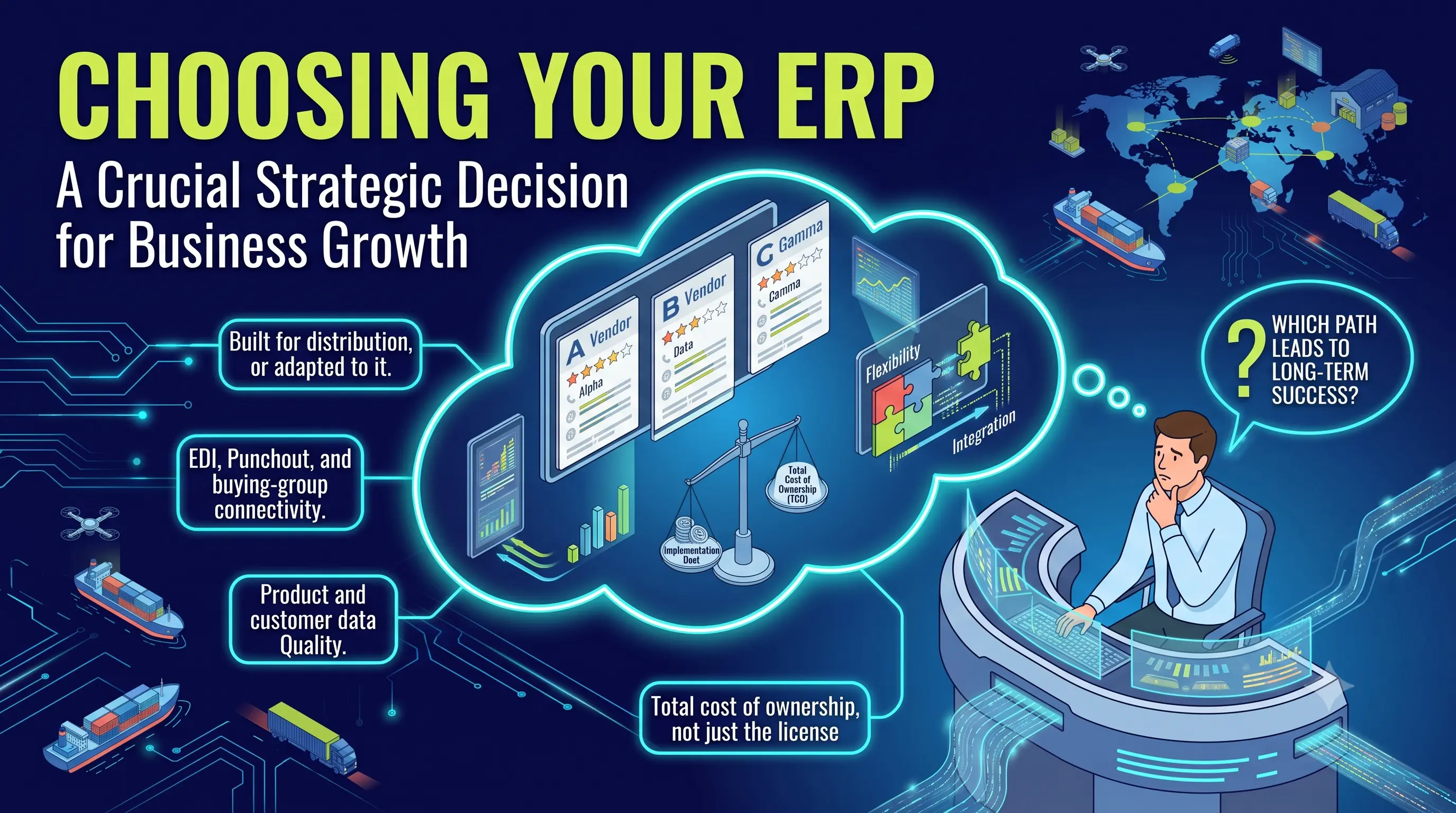
Features demo well and tell you little about year three. These criteria predict it better. Treat each as a question for the vendor and for a reference customer a year or two past go-live.
Built for distribution, or adapted to it. Where a vendor aims its roadmap, its training data, and its support tracks who its customers already are. Find out how much of that base is wholesale distribution, then ask what shipped for distributors last quarter rather than what's promised next year. You'll feel the difference in how the system handles units of measure, customer-specific pricing, and part-number cross-referencing.
Integration depth, open APIs, and getting data both ways. This is the make-or-break, and the one most buyers underweight. Ask whether the system exposes documented, supported APIs or whether you'll be exporting flat files overnight. Ask what's read-only versus write-back, and what's real-time versus nightly batch. The reviews are unambiguous that this is where distribution ERPs most often disappoint, so make the vendor prove it on your systems.
EDI, punchout, and buying-group connectivity. Distributors live on EDI. If your trading partners and buying groups send 850s and expect 856s back, find out whether the ERP does EDI natively, through a bolt-on like SPS or TrueCommerce, or not at all, and the same for punchout into customers' procurement systems. This is a top implementation risk and an easy one to discover late.
Warehouse management and RF. You run a building full of forklifts. Whether the WMS is native or bolted on, and whether it does RF-directed picking, cycle counts, and wave or zone logic, is a top-three selection driver and a top-three implementation risk. Don't let an order-and-finance demo gloss over the warehouse.
Reporting your team can run without a developer. Watch someone build a new report live in the demo. If answering "which customers slowed down this quarter" needs SQL, Crystal Reports, or a consultant, your team won't do it, and the data may as well not exist. This is the single most common complaint in the category, so test it before you buy, not after.
How it fits the way you operate. Multi-entity, intercompany, and multi-currency if you run more than one company or cross borders. Sales-tax automation and exemption-certificate handling if you sell across states, especially to exempt contractors. Contract pricing, special-pricing agreements, and vendor rebates and chargebacks, which is where distribution margin quietly leaks. Generic suites and distribution-native systems handle these differently, so bring your messiest real examples.
Product and customer data quality. An ERP's output is only as good as what's in it. Distribution catalogs are brutal, hundreds of thousands of SKUs, customer part numbers that aren't yours, descriptions that don't match. Ask how the system handles enrichment, cross-references, and substitutes, because dirty data is both the top reason migrations fail and the reason reports lie. This is where a dedicated PIM, a product information layer, often does what the ERP can't.
Total cost of ownership, not the license. The sticker is the small number. Mid-market distributors commonly spend from about $150,000 to well over $1 million in year one once you add implementation, integration, migration, and training, scaling with revenue, entities, and integration count, and the services to stand it up often run one and a half to three times the first-year software fee, higher on the distribution-native systems. Get a quote at twice your volume, ask what triggers an upcharge, and add the line nobody quotes you: the cost of getting your own data out.
The implementation partner, the references, and day-two support. ERP projects fail more often on people and data than on product. The classic McKinsey and Oxford study of large IT projects found they run 45% over budget and deliver 56% less value than planned, and ERP rollouts are among the most painful of the genre. Ask each vendor for a distributor your size and trade who went live in the last 18 months and will take your call, then ask that reference the question that predicts your outcome: are you live on the exact version and modules I'm being sold, and did you hit your budget and timeline, and if not, by how much. While you're at it, find out who answers the phone in year two, and where they sit.
Cloud or on-prem, and your exit. Most new distribution ERP is cloud, and for most distributors that's right, lower IT burden, easier multi-location access, steadier updates. Some still prefer on-prem for control or connectivity, and veterans in that Reddit thread argued for it pointedly. Decide on your IT reality, not the vendor's margin. And ask the question that flows straight from this guide's thesis: if I leave in three years, how do I get all of my data out, in what format, and what does that cost. A vendor who can't answer cleanly is telling you who owns your data.
Run the distributor ERP evaluation on your own data
The standard demo is built to flatter the software: rehearsed data, a tidy little order, a path that never touches an edge case. Insist on the reverse. Send your materials ahead and make the vendor run these live.
- Make them load a real slice of your data and pull a real report. Hand over a few years of order history for your top fifty customers and ask, live, for a cross-sell report or a list of accounts whose purchasing dropped. If that needs a consultant, you've learned the most important thing about the system.
- Trace one change end to end. Have a rep edit a price or a customer record and watch whether, and when, it reaches the ERP and everything downstream. Real time or tonight is the question that matters.
- Demo the integrations most likely to break. An inbound EDI 850 turning into an order and an outbound 856 going back out. A write-back to your ERP, live, not a screenshot.
- Pressure-test the migration. Ask exactly what comes over and what doesn't: open and closed POs, partial receipts, lot and serial history, and historical AR are the things that sink go-lives. Get the data-cleanup cost and the cutover plan in writing.
- Make them hand your data back. Ask for a full export of the sample you loaded, schema and all, in a usable format, plus what that same export would cost the day you leave. The best ERP is the one you can get data out of, so make the vendor prove it on the way in.
- Get a real reference call, a distributor your size and trade, live within 18 months, and ask what the implementation did to their Q4 and what they'd do differently.
When your current ERP is already enough
Not everyone reading this should buy. Keep what you have when most of these hold: the system runs your transactions reliably, your team can get the reports they need without a fight, it connects to the tools you depend on, and replacing it would cost more than it returns. An ERP that quietly does its job beats a migration that eats a year.
Here is the reframe that saves some distributors a seven-figure project. Most of the time, the pain that sends people shopping for a new ERP traces back to the data stuck inside the old one, not the ERP itself. The transactions post fine. The missing piece is the visibility, the cross-sell, the proactive call, the report nobody can pull. Replacing the system of record is the most expensive way to solve a data-access problem, and it often doesn't even solve it, because the new ERP locks the data up the same way. Before you rip out the foundation, ask whether what you need is a better way to get data out of the foundation you already have.
Where Proton fits
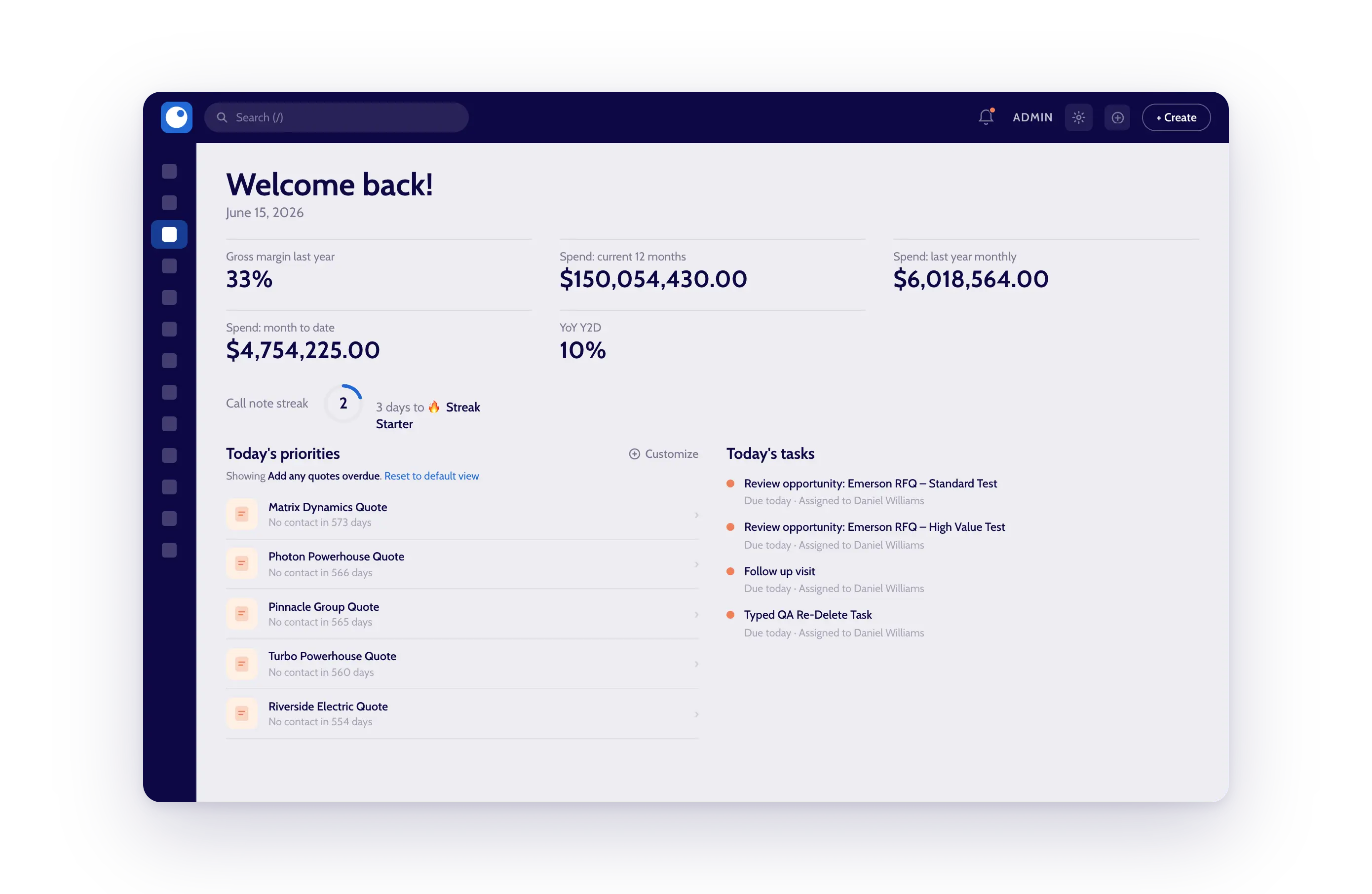
That's the work Proton does, so weigh this section knowing it.
Proton isn't an ERP, and we'd never tell you to replace yours. We sit on top of whatever ERP you run and turn the data trapped inside it into something your sales team can act on. We connect to any ERP, pull years of transaction history out, and use it to tell a rep which customers to call, what they're likely to buy next, and what they've stopped buying. The product data underneath gets cleaned and enriched by the platform's PIM, so the matching and recommendations sharpen over time. It's the second and third eras of software running on top of your first-era system of record, and how that integration works covers the depth and security questions from earlier.
The results, stated the way we see them in our own data: distributors using Proton lift their organic sales growth rate, the rate they'd grow without acquisitions or price increases, by about 2.6x on average in the year after implementing, with plenty of variation around it. On the newer end of what we do, distributors using Proton to draft orders and quotes straight from the inbox process many times more of them without adding headcount, though that product is young enough that I'd weigh it on a demo rather than a number. The reason any of it works is unglamorous. The data was always there in the ERP. It wasn't reaching the person who could use it.
Two honest caveats, since the guide is built on them. Our order and quote entry product is the newest thing we ship, and today our published reviews are for the Proton CRM, not that product, so hold us to the same reference-and-demo standard as everyone else above. And if your problem is an ERP problem, transactions failing, no distribution functionality, then fix the ERP first; we're the wrong tool for that. We earn our place when the ERP is fine and the data inside it isn't doing anything for you.
If that's the gap you're staring at, the best test is your own data. See what Proton surfaces from your ERP, and bring your hardest questions about your customers.



.png)